Guide

Tax & Compliance
Forgot Your TIN? How to Retrieve It Online in Nigeria
You do not need the old number. Enter your NIN (or your business’s CAC number) on taxid.nrs.gov.ng and the portal shows your current 13-digit Tax ID, free, in about a minute.
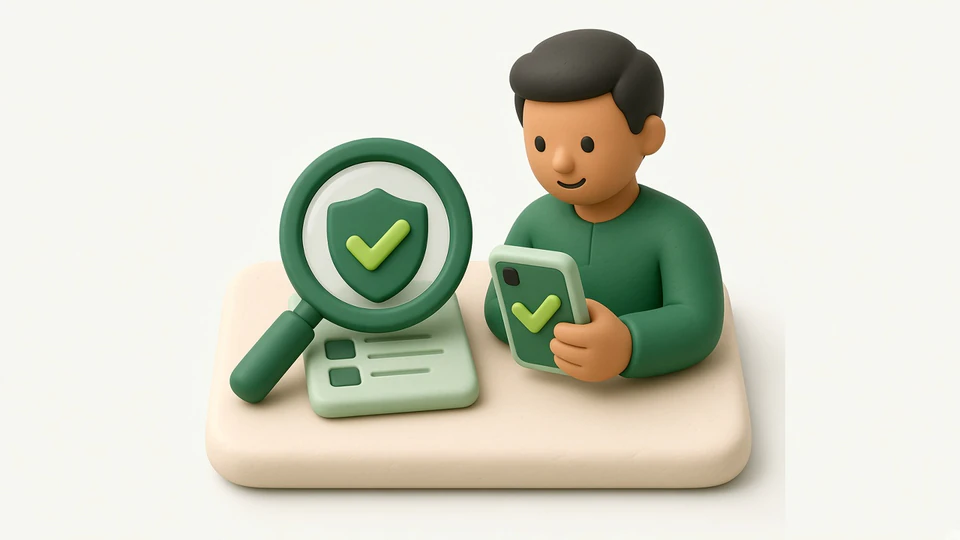
If you have forgotten your TIN, you do not need the old number to get it back. Go to taxid.nrs.gov.ng (or taxid.jrb.gov.ng), choose Individual, enter your 11-digit NIN and click Retrieve Tax ID; for a business, choose Corporate and enter the CAC registration number instead. The portal shows your current 13-digit Tax ID, free, in about a minute. No login, no form and no tax office visit, as long as your NIMC or CAC record is correct.
Last checked 23 November 2026. Portal pages taxid.nrs.gov.ng and taxid.jrb.gov.ng (“Retrieve and Verify Your Tax ID”, a joint service of the Joint Revenue Board and the Nigeria Revenue Service) loaded on 23 November 2026, including the *346# NIN tip shown on the page. Steps and the replacement of old TINs from the JRB/NRS notice published by the FCT Internal Revenue Service on 29 December 2025.
Retrieve your TIN with your NIN
- Type taxid.nrs.gov.ng into your browser (or taxid.jrb.gov.ng; both are the same service).
- Under “Select your tax category”, choose Individuals, and choose National Identification Number (NIN) as the retrieval method.
- Enter your 11-digit NIN and tick the consent box.
- Click Retrieve Tax ID, then enter your first name, last name and date of birth exactly as NIMC holds them.
- Click Continue. Your 13-digit Tax ID is displayed. Screenshot it and save it somewhere you will find it next time.
This works whether you got your TIN from an employer years ago, registered yourself, or never knew you had one. If you are doing this for the first time, the guide to generating your TIN online walks through each screen and the documents a tax office asks for.
Retrieve a company or business name TIN
- On the same portal, choose Corporate.
- Pick the organisation type: business name, company or incorporated trustee.
- Enter the BN, RC or IT number exactly as printed on the CAC certificate.
- Click Retrieve Tax ID. The 13-digit Tax ID linked to the registration is displayed.
Lost the CAC number as well? It is on the certificate and the status report, and the CAC’s public search lets you look a business up by name.
Forgot your NIN too?
The portal itself points to NIMC’s short code: dial *346# from the phone number you registered with NIMC and follow the prompt to see your NIN. If you no longer have that SIM, visit a NIMC enrolment centre. Once you have the NIN, go back to the steps above.
Where your old TIN is probably written down
You do not need the old number to retrieve the new one, but you may want it to match old records, such as a pre-2026 withholding tax credit or an employer’s remittance. It often appears on:
| Document | Who has it |
|---|---|
| TIN certificate or registration slip | You, if you registered in person |
| Payslips and employment forms | Your employer’s HR or payroll team |
| Withholding tax credit notes or receipts | Clients who deducted WHT from your invoices |
| Tax Clearance Certificate | You, or the tax office that issued it |
| Account-opening forms | Your bank, for accounts opened with a TIN |
| Past invoices and tax returns | You, or your accountant |
Whatever you find, use the 13-digit Tax ID from the portal from now on. The JRB and NRS notice says it replaces previously issued TINs from 1 January 2026.
Check the number you found
Before you print a number on an invoice, make sure it is yours and current. The portal is titled “Retrieve and Verify Your Tax ID” for a reason. The TIN verification guide covers checking your own number and a supplier’s, and what a mismatch means for VAT and withholding tax.
When online retrieval fails
| What you see | Likely cause | Fix |
|---|---|---|
| Record not found (NIN) | Name or date of birth typed differently from NIMC | Copy them exactly from your NIN slip; if NIMC holds the wrong details, correct them with NIMC first |
| Business not returned | Wrong organisation type, or a prefix or space in the CAC number | Match the type to the certificate and retype the number |
| Newly registered business not found | The CAC record has not reached the tax system yet | Try again in a few days, then visit an NRS office with the certificate |
| Two different numbers | Registered once by an employer and once yourself | Use the number the portal returns; ask your State IRS to merge records |
| Page will not load | Heavy traffic near filing deadlines | Try outside business hours or on another network |
If none of that works, go in person: NRS offices handle companies, and State Internal Revenue Service offices handle individuals and business names. Take your NIN slip or CAC certificate and a valid ID.
Do not pay anyone to retrieve it
- Retrieval is free and needs no account or payment details.
- Type the address yourself and check it ends in .gov.ng. Links in messages can lead to look-alike sites.
- An agent who “processes” your TIN gets your NIN and date of birth. That is enough to impersonate you at a bank.
Keep it where you invoice
Most people lose their TIN because it lives on one old slip of paper. Put it where you will use it. The free invoice generator puts your TIN, 7.5% VAT, withholding tax and bank details on a PDF invoice with no sign-up, and nothing you type is uploaded. If you invoice regularly, ereQa keeps the Tax ID in your business profile so it appears on every invoice you send. The Free plan includes 20 invoices a month, with no card needed.
This is general information, not tax advice. Portals, forms and thresholds change as the Nigeria Revenue Service and the Joint Revenue Board settle into the new law. Confirm your position with a licensed tax adviser before you rely on it.
eT
Learn more

How to Generate Your TIN Online in Nigeria (2026)
Go to taxid.nrs.gov.ng, choose Individual and enter your NIN, or Corporate and enter your CAC number, then…
Read the guideHow to Verify a TIN in Nigeria: JTB and NRS Lookup (2026)
Before you pay a new supplier, deduct withholding tax or accept a VAT invoice, thirty seconds on the…
Read the guide
Free Invoice Generator
Bill a client with your TIN, 7.5% VAT, withholding tax and bank details. Download a PDF or send it on…
Open the tool
Invoicing
Branded invoices sent on WhatsApp or email, with your bank details on every invoice link.
Read the guideMore from Tax & Compliance
VAT for Small Businesses in Kenya: 2026 Thresholds Explained
Kenya's VAT rules confuse many SMB owners. Who needs to register? When? How do filing deadlines work? Here's…
Read the guideNigeria Tax Act 2025: What Every Small Business Must Know
Nigeria's biggest tax overhaul in decades took effect on 1 January 2026. Here's what small business owners…
Read the guideNRS E-Invoicing in Nigeria: The 2026 Compliance Guide for SMBs
Nigeria's NRS e-invoicing mandate is rolling out in phases — and it's already biting large firms. Here's the…
Read the guideQuestions
Frequently asked questions
Go to taxid.nrs.gov.ng (or taxid.jrb.gov.ng), choose Individual, select NIN, enter your 11-digit NIN, tick the consent box and click Retrieve Tax ID. Confirm your first name, last name and date of birth exactly as NIMC holds them and continue. Your 13-digit Tax ID is displayed. Businesses choose Corporate and enter their CAC registration number instead.
Ready to put this into practice?
Try ereQa free — no card required. Most users send their first invoice in under 10 minutes.
Start free →